

The new version of WPS 2019 released, formula editor on Ubuntu Kylin preferred!
Yesterday, WPS office 2019 updated version (8865) for Linux was released. It not only fixes a large number of bugs on the basis of the previous version (8722), but also brings a new feature experience to WPS users. The new formula editor makes it easier for users to insert and edit formulas on the Ubuntu Kylin system. In addition, this version also supports the insertion of OLE attachments, account encryption and other practical functions.
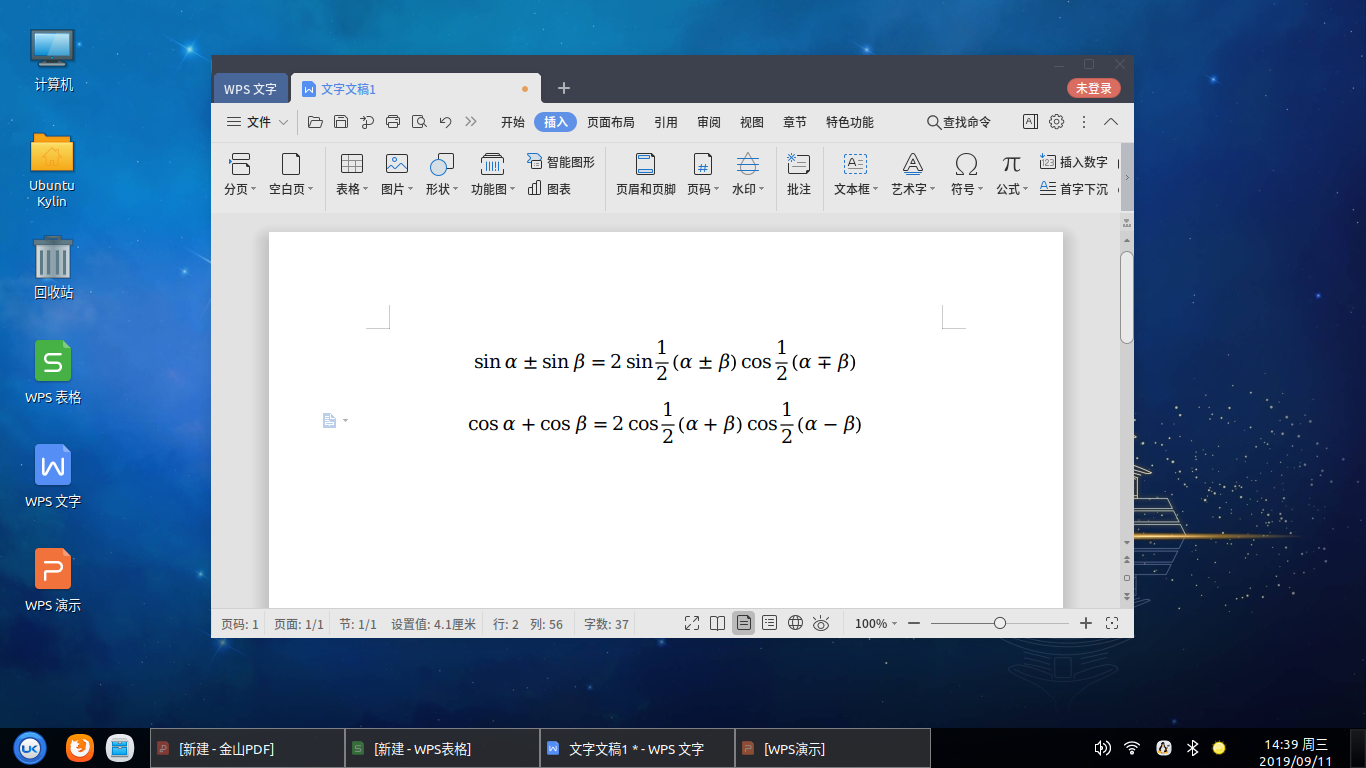
WPS is the default office suite of Ubuntu Kylin, which makes Ubuntu Kylin users to have a more convenient and efficient office experience. Details of this version update are as follows:
WPS public:
Inserting and editing formulas supports;
Inserting Doc / docx / XLS / xlsx / ppt / pptx files as OLE objects supports;
Add account encryption, support to encrypt documents by account method;
Optimize the printing settings, and solve the problem that the real printing effect is inconsistent with the settings;
Optimize printing efficiency;
Fix the problem that after inserting the vector map, the output is PDF and the vector map becomes bitmap.
WPS Writer:
Fix typography, character measurement area error.
WPS Spreadsheets:
The IO in DBF format adopts GBK coding;
Open dif file to support guessing encoding;
Optimize the opening efficiency of xlsx files;
Optimize calculation efficiency.
WPS Presentation:
Fix the problem that double-click PPS / PPSM / ppsx show format file to open, the show has not been set to the top.
WPS PDF:
Fix the problem that a black box pops up when PDF is shown in slide show mode;
Fix PDF failed to load font, causing crash.
At present, the updated version of WPS has entered the software warehouse of Ubuntu Kylin. Users of Ubuntu Kylin and other Ubuntu systems can install it online through the terminal or software center, or they can download and install it manually on the official website of Ubuntu Kylin( http://m.eply168.cn/applications/img.php?class1=182&lang=en )or(http://community.wps.cn/download/(Note: This update is only for 64 bit system)
Installation steps of new version of WPS on Ubuntu Kylin (19.04, 18.04, 16.04):
1. update source:$sudo apt update
2. Install WPS:$sudo apt install wps-office
Installation steps of new version of WPS on Ubuntu (19.04, 18.04, 16.04):
1. Modify the source configuration file and add a line to the / etc / apt / sources.list
file: deb http://archive.ubuntukylin.com/ubuntukylin bionic main (Version 16.04 replaces bionic with xenial)
2. $sudo apt install ubuntukylin-keyring
3. update source:$sudo apt update
4. Install WPS:$sudo apt install wps-office
-
Ubuntu Kylin 23.10 officially released[2023/10/12]
-
Ubuntu Kylin 19.10 release party perfectly ended in it’s last statiton —— the world's highest altitude Tibet University[2019/11/30]
-
Ubuntu Kylin 20.04 LTS continues to improve! Optimize HD screen support, add 6 new applications[2020/07/07]
-
Ubuntu / UbuntuKylin 13.10 release party is in preparation[2016/08/19]
-
KDE and GNOME team up with Ubuntu Kylin to recruit LAS 2021 instructors worldwide[2021/03/03]
-
Kylin team's assisted China open source annual conference, produced open source operating system forum and made theme report![2019/11/03]
-
Linux Application Ecosystem Salon 2021 Changsha is coming![2021/12/30]
-
Ubuntu/Ubuntu Kylin 19.10 Alpha Summer Camp[2019/08/24]
-
22.04 LTS Preview - UKUI 3.1 practical interface exposure, brief but not simple![2022/03/30]
-
Preview of new features in UKUI 3.1[2020/09/07]
-
Ubuntu Kylin 19.10 Software Center,New facelift, simplification for complex[2019/10/22]
-
Ubuntu Kylin participate in the 2014 Open Source Technology Conference[2014/04/06]